"Go with the flow, follow your passion, take responsibility for your own learning"...three tips from unconfernece.net as we headed into our e-Learning un-conference, EduCampNZ, on Saturday 24th July.
Hosted at Summerland School in West Auckland, over 70 inspirational educators participated and contributed to a day of learning, links and laughs. We kicked EduCampNZ off with SpeedGeeking. Using TwitterTime each participant had 140 seconds to introduce themselves and share what is currently on their radar.
We also introduced a Smackdown to EduCampNZ this year after Dorothy, Rocky and I had participated in similar sessions at the ISTE conference last month. Both these sessions provided opportunities to connect with others and identify similar interests to pursue throughout the day.
'Everything EduCampNZ' can be explored from our wiki including a shared Google Doc with links and contributions from participants, The Smackdown WallWisher, #EducampNZ Twitter stream and photos.
We would also appreciate your suggestions and feedback to assist the organisation of future un-conference events. We are excited that educators in other regions are exploring the possibilities of running similar events and your recommendations would be valued. Feedback can be posted on the wiki.
I want to again acknowledge the generosity of all participants... from the staff and students of Summerland Primary, to the educators who contributed especially those that travelled from beyond West Auckland... Arohanui.
The following video is my attempt to capture some of the EduCampNZ highlights! Because it was shot on July 24, 2010 I have also submitted it to Life In A Day, a project documenting a single day on earth.
Wednesday, 28 July 2010


Tuesday, 6 July 2010
Artefacts of Assination & Tweet Preservation*
At ISTE10 I targetted a number of breakouts focussing on the use of primary sources. Fascinating to spend time exploring "the raw materials of history" and considering potential to guide students towards higher-order thinking.
 Identified a number of resources and strategies with possibilities to support the effective use of digital content relevant to the development of Digistore. Rocky and I will share further on the Digistore wiki in the coming months.
Until then here are a few primary source taonga (treasures) worthwhile exploring. Most of these sites also include useful guidelines for teaching with primary sources:
Identified a number of resources and strategies with possibilities to support the effective use of digital content relevant to the development of Digistore. Rocky and I will share further on the Digistore wiki in the coming months.
Until then here are a few primary source taonga (treasures) worthwhile exploring. Most of these sites also include useful guidelines for teaching with primary sources:
Artefacts of Assassination and Tweet Preservation*
 Identified a number of resources and strategies with possibilities to support the effective use of digital content relevant to the development of Digistore. Rocky and I will share further on the Digistore wiki in the coming months.
- The Library of Congress: A variety of useful resources for teachers. I have highlighted and saved to my Delicious Links with descriptions.
- DocsTeach an educational tool from the US National Archives Experience that includes support for using primary source documents.
- NASA eClips short, relevant educational video segments.
- C-SPAN Classroom Free primary source materials covering government proceedings and public affairs programming.
- Digital Vaults: Explore the US National Archives collection, using the media rich version of this site browse through hundreds of photographs, documents, and film clips. Register and create your own collection of records, create pathway challenges, posters and films to share. Also see example Creating Student Sleuths: Primary Source Investigation
- World Digital Library Home primary materials from countries and cultures around the world in multilingual format.
Artefacts of Assassination and Tweet Preservation*
Sunday, 4 July 2010
Math Snacks...yum!
We had a great conversation with some of the Math Snacks team on Wednesday, Debbie Michels and Milos Savic. Math Snacks are short animations and mini–games, each presenting a mathematical concept and designed to help learners "get it".
Each snack can be used and integrated much the same way as we use Digistore content and can be saved on mobile devices (from iTunesU) for students to revisit. They are also supported by both student and teacher guides, available for download.
Debbie shared examples of student outcomes from the use of Math Snacks and very kindly agreed to an on the spot, impromptu, reflection on the benefits of integrating Math Snacks in combination with other relevant digital content and learning experiences. The following was filmed on my iPhone in a very busy open space @ ISTE 2010 (~3:30min). Debbie makes useful connections to the key messages about when digital content is most effective.
Debbie on the purpose of Mathsnacks..."can students develop enough of a conceptual understanding to give greater meaning to their learning?"
Each snack can be used and integrated much the same way as we use Digistore content and can be saved on mobile devices (from iTunesU) for students to revisit. They are also supported by both student and teacher guides, available for download.
Debbie on the purpose of Mathsnacks..."can students develop enough of a conceptual understanding to give greater meaning to their learning?"
Day in Denver
Took a few hours to engage my "travelling mindset" on Thursday, after 5 valuable days of ISTE10 conversations, challenges and new ideas. We were lucky enough to be guided by a home grown Denverite. He must have told his stories many times over in the past however his first hand historical knowledge of the area and its people added much depth and colour to the experience.
"Can't you see...life's easy...if you consider things from another point of view" (DB Boulevard)

Monday, 28 June 2010
"Dream big and be brave..."
The title of this post comes from The Third Teacher, referenced today at the ISTE Leadership Symposium: Innovation--Design for Learning. I valued the conversations and time to explore the connect between design principles and our values and beliefs about effective teaching and its impact on student learning.
I love to dream and I want to be brave. Yes... this has definitely contributed to my thinking, and...I need to explore these ideas further through the links below and supporting similar conversations.
One strategy that I will certainly follow up on is to add a photo to the Learning Space Blog. This is smart...if we see a space or environment that resonates with us we are invited to email a photo to seems99level2blog@flickr.com to contribute.
...in the meantime sharing my ISTE10 photo set on flickr.
I love to dream and I want to be brave. Yes... this has definitely contributed to my thinking, and...I need to explore these ideas further through the links below and supporting similar conversations.
One strategy that I will certainly follow up on is to add a photo to the Learning Space Blog. This is smart...if we see a space or environment that resonates with us we are invited to email a photo to seems99level2blog@flickr.com to contribute.
...in the meantime sharing my ISTE10 photo set on flickr.
Get the flash player here: http://www.adobe.com/flashplayer
Sunday, 27 June 2010
EducampNZ Recce
 Participating at EduBloggercon2010 this morning was in part a reconnaissance (recce) for ideas to share at EducampNZ.
Enjoyed the "Smackdown" speed demos session where participants are invited to take a couple of minutes only to share a cool Web 2.0 tool. Thinking this could work well for EducampNZ as ideas are shared quickly and very little preparation time is needed.
Shared links from this afternoon's smackdown, with my notes, on Delicious .
For more links and resources search #EBC10 in Twitter
Thanks to participants for sharing and organiser Steve Hargadon ...excellent kick off to ISTE10
Kiwi Educators Heart Wikispaces
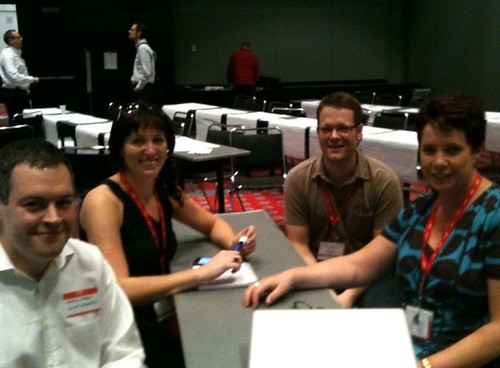
Very excited to hear from them that Wikispaces editing is undergoing a major rebuild and will include many new and updated features ironing out those little glitches ;-) James shared a few of these today (see Rocky's blog for more details)
An invitation to all Wikispaces users - please let them know if you have feedback, need support or notice any glitches or anomalies - http://help.wikispaces.com or http://twitter.com/wikispaces 'coz we know kiwis heart wikispaces
An invitation to all Wikispaces users - please let them know if you have feedback, need support or notice any glitches or anomalies - http://help.wikispaces.com or http://twitter.com/wikispaces 'coz we know kiwis heart wikispaces
Monday, 24 May 2010
Digistore's Golden Egg
Since the release of Digistore v2.0 we have been exploring, what Rocky refers to as Digistore's Golden Egg....learning paths.
I have created and shared two learning paths below to support He Reo Kōmanawa one of a group of resources for teachers of te reo Māori. Using the He Reo Komanawa teaching and learning framework and the key messages about effective use of digital content these learning paths are for teachers and include strategies and links to further resources. They could also be copied and re-purposed for students.
 These learning paths support specific steps in the He Reo Komanawa framework. However the design and selection of digital content from both Digistore and other sources, is guided by the kinds of teaching approaches that promote student learning (NZC, 2007; MToA, 2008). The intention is that they might also support further thinking around developing learning paths in other learning areas.
While the learning context is te reo Maori, the thinking around the selection and integration of the digital content in relation to the key messages about effective use of digital content could be applied to other learning areas.
The next step is to hopefully collaborate with teacher/s to trial these. Let me know if that might be you or if you are interested in developing learning paths to support a current focus in any learning area.
More support for learning paths and examples from other learning areas can be accessed from the Digistore wiki or please contact us directly.
Click the links below to view these learning paths in Digistore
I have created and shared two learning paths below to support He Reo Kōmanawa one of a group of resources for teachers of te reo Māori. Using the He Reo Komanawa teaching and learning framework and the key messages about effective use of digital content these learning paths are for teachers and include strategies and links to further resources. They could also be copied and re-purposed for students.
 These learning paths support specific steps in the He Reo Komanawa framework. However the design and selection of digital content from both Digistore and other sources, is guided by the kinds of teaching approaches that promote student learning (NZC, 2007; MToA, 2008). The intention is that they might also support further thinking around developing learning paths in other learning areas.
While the learning context is te reo Maori, the thinking around the selection and integration of the digital content in relation to the key messages about effective use of digital content could be applied to other learning areas.
The next step is to hopefully collaborate with teacher/s to trial these. Let me know if that might be you or if you are interested in developing learning paths to support a current focus in any learning area.
More support for learning paths and examples from other learning areas can be accessed from the Digistore wiki or please contact us directly.
Click the links below to view these learning paths in Digistore
Developed to support steps 1 and 2 of the framework for using He Reo Komanawa, viewing of image and pre-reading discussion. Initial viewing of the image provides students with both visual information and stimulus for participation.
Developed to support steps 6, 7 and 8 of the framework for using He Reo Komanawa, group mind mapping of discussion points and opportunities for inquiry.
Developed to support steps 6, 7 and 8 of the framework for using He Reo Komanawa, group mind mapping of discussion points and opportunities for inquiry.
Whakanuia Te Wiki o te Reo Māori
Te Mahi Kai
A collection of images reflecting theme Te Mahi Kai - The Language of Food. Includes tools to support students to analyse photographs.
A collection of images of primary source Maori artefacts for comparison and exploration.
Saturday, 27 March 2010
Re-thinking Digistore: new opportunities to create collaborative, interactive learning spaces for your students.
 Accessing learning through the Read/Write Web has changed teaching and learning for many of us. The freedom and flexibility to organise and access content for a specific purpose is having a significant impact on teaching approaches and learning design. With the launch of Digistore 2.0 we have been considering how some of the new functions might operate with existing online environments and tools. While we have been hyperlinking and embedding Digistore content successfully for some time using social bookmarking, Moodle, wikis and blogs...
...do we need to start thinking differently about how we organise and access digital content?
An exciting new feature of Digistore 2.0 is the ability to create Learning Paths, a collection or sequence of learning content interwoven with teacher comments and descriptions that can be created for a particular audience eg: Students, Teachers, parents or as a personal collection. View a Learning Path that has been created and shared on Digistore
Does our use of Digistore content change when we can select, organise and then share from within Digistore itself?
Questions we might consider at the planning and design stage:
- When is creating a Learning Path vs linking or embedding digital content a more effective option?
- What are the benefits to the learning process?
- How can I re-purpose content and what are the possible opportunities for shared learning?
- How do my decisions reflect the key messages about when digital content is most effective?
- Will this save time?
Saturday, 27 February 2010
Digistore... 'from catalog to community'*
On the coat tails of Rocky's recent post The New and Improved Digistore, we have been enjoying exploring the possibilities and receiving the feedback as Digistore evolves from a "catalog to a community."*
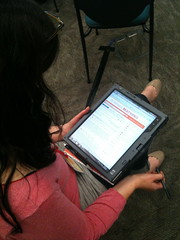
Features such as the learning paths and tagging, plus tools for users to rate and comment, mean that the boundaries for use of Digistore content can be pushed. While content is easier to search and find using the advanced search features, browse topics and filters the potential for teachers and students to recommend content, reflects the concept of 'community' verses 'catalog'.
Features such as the learning paths and tagging, plus tools for users to rate and comment, mean that the boundaries for use of Digistore content can be pushed. While content is easier to search and find using the advanced search features, browse topics and filters the potential for teachers and students to recommend content, reflects the concept of 'community' verses 'catalog'.
Because content can be now categorised by the community the possibilities for users to share and explore strategies for selection and integration has increased. Key messages that support the effective use of digital content remain a priority and are explored further through the development of the Digistore wiki. This wiki will include examples of how digital content has been embedded into existing programmes of learning and links to other relevant digital content and learning experiences. Like Digistore, it will continue to evolve as we develop our capacity to effectively integrate digital resources to improve learning outcomes.
We have also posted resources, strategies and links from our breakouts at the Learning@School Conference. The content was designed to scaffold dialogue and understanding as we explored the key messages that support the effective use of digital content.
We hope that the ideas and strategies can be used and adapted by school leaders and cluster facilitators to reflect the needs of learners in your schools.
* Concept shared by CORE Education Ltd 2009 for Software for Learning
Subscribe to:
Posts (Atom)