Valued the opportunity to participate and contribute to BYOD 2013 hosted by Learning Network NZ yesterday at Albany Senior High. The conference was well supported with over 400 educators attending. Tweets, resources and images nicely archived by +Catriona Pene
These are also excellent opportunities to touch base with my PLN and I enjoyed the conversations. Interested to hear about Tauriko School's approach to BYOD and Digital Citizenship which has been developed to reflect the school's values...thanks +Rochelle Jensen
Plus a geeky goody via +Allanah King, leave voice comments on your Google docs.
I shared some thinking and examples of the Cybersmart Curriculum Manaiakalani Schools have been developing. My notes and resource links are below. A bonus of presenting is the opportunity to reflect on practice and share current thinking with others. Feedback always appreciated.
Click options cog for speaker notes.
VirtualNorth
(e)is for Learning - I am a teacher and facilitator in Auckland, NZ, and use this space to explore how the use of things 'digital' is making a difference to teaching and learning. Please leave a comment or feel free to contact me.
Friday, May 3, 2013
Sunday, December 2, 2012
"Harnessing Your Ecosystems"
I wonder...is my use of social media purely a response to my professional exploits? If I didn't work as a teacher and facilitator would I Tweet?
I created my first wiki in September 2006 and over the following year joined Delicious and Flickr, began blogging and finally at 7:04pm on the 2nd August 2007, posted my first Tweet. There was no looking back. My purpose was to connect and share. At the time I was collaborating with an awesome cluster of five schools with over 80 teachers and email was just not going to cut it.
I quickly realised that Web2.0 was going to provide me with increasingly creative tools to communicate and collaborate and also accelerate my work flow substantially. What I hadn't predicted was the growth of a professional learning network that I rate as one of my most valued assets both professionally and personally. This is where I do some of my best learning and in this rapidly changing world learning for me is at its best when I can connect with like-minded.
I have blogged previously about growing a PLN with links and resources to get started. Investing time utilising social media to not only access resources but also contribute and change practice can be augmented by harnessing the power of a professional learning network.
Described as "the power of pull" by Hagel, Seely Brown and Davison (2010), new technologies are creating platforms that increase our visibility and can help us connect with more people, people that we don't know yet or may even be aware exist.
How are you "harnessing your ecosystems?" How are you scaling up your connectivity and attracting the people and resources you need to find your potential? (Blog Post 10/06/2012)
If it's a question of time, this is worth the time. You are not alone out there and believe me every time I think I have a new idea or challenge I find I am not the first or the only one…thank goodness!
I created my first wiki in September 2006 and over the following year joined Delicious and Flickr, began blogging and finally at 7:04pm on the 2nd August 2007, posted my first Tweet. There was no looking back. My purpose was to connect and share. At the time I was collaborating with an awesome cluster of five schools with over 80 teachers and email was just not going to cut it.
I quickly realised that Web2.0 was going to provide me with increasingly creative tools to communicate and collaborate and also accelerate my work flow substantially. What I hadn't predicted was the growth of a professional learning network that I rate as one of my most valued assets both professionally and personally. This is where I do some of my best learning and in this rapidly changing world learning for me is at its best when I can connect with like-minded.
I have blogged previously about growing a PLN with links and resources to get started. Investing time utilising social media to not only access resources but also contribute and change practice can be augmented by harnessing the power of a professional learning network.
Described as "the power of pull" by Hagel, Seely Brown and Davison (2010), new technologies are creating platforms that increase our visibility and can help us connect with more people, people that we don't know yet or may even be aware exist.
How are you "harnessing your ecosystems?" How are you scaling up your connectivity and attracting the people and resources you need to find your potential? (Blog Post 10/06/2012)
If it's a question of time, this is worth the time. You are not alone out there and believe me every time I think I have a new idea or challenge I find I am not the first or the only one…thank goodness!
Labels:
networking,
PLN,
Teachers,
Twitter
Thursday, November 22, 2012
"It's learn, create, share, Miss Aireen!"
![]() |
| "How many teachers in class this morning?" |
As a 1:1 netbook class, the students had invited Miss Swift's Year 3 class to buddy up and create presentations of their learning to share on their class blog.
I valued the opportunity to observe how the Year 5 students have grown this year in their confidence to utilise their netbooks and the web based learning environments including Google Apps for Education (GAFE).
However on reflection I suspect that what was happening in Miss Aireen's class this morning was much more complex. All students were highly motivated and drawing on many of the Key Competencies to interact with each other.
![]() |
| "26 teachers in the class this morning, Miss Aireen" |
"It's learn, create, share, Miss Aireen!" (Taylor, Year 5)
The Year 5 students were challenged to not only manage themselves as learners but also draw on a variety of digital and learning focused strategies to transfer their new learning and share with their Year 3 buddies. The NZC highlights the importance of students being "challenged and supported to develop in contexts that are increasingly wide-ranging and complex". It was particularly affirming to see the students respond so confidently and harness their digital learning to enrich opportunities for learning in this face-to-face context.Currently the Year 3 students have GAFE accounts and Miss Swift reports that support for their class blog grows daily. I am confident the increased opportunities for them to buddy with the 1:1 netbook class will continue to build on the sharing and grow interactions with community both in school and beyond. Truly the students must be recognised as the strongest advocates for the investment their families and schools continue to make in their learning.
Monday, November 5, 2012
Tweet...Sweet
| Click image to zoom |
If you are serious about growing your professional learning network (PLN) you need to be serious about managing information flows on Twitter. There are lots of great Web2.0 apps available for Twitter however a good place to start is a Twitter App to manage the information flow.
After trying a few different apps I set up Hootsuite earlier this year. Because Hootsuite is web based, organising Twitter on my Mac and having the same set up available when I logged in on my phone or iPad was a definite bonus. Also the HootSuite App Directory allows me to add other social networks and tools into my dashboard. I have found the ability to set up tabs and streams particularly valuable for monitoring:
- different themes or groups
- #tags for current events and topics
- Twitter lists I have created or follow
- conversations that I may have missed
- Tweets that mention me - it's important to respond when you are included in the conversation whether it be to answer/ask a question, add more information or reTweet for acknowledgement.
While it's not possible to read all Tweets I am following Hootsuite enables me to organise and track what's relevant for me while still enjoying the serendipidous learning that is Twitter.
Thursday, November 1, 2012
Multiple Users in Chrome
Working across multiple GAFE sites and Google Accounts can be made a lot easier by using the multiple users feature in Chrome. I created this Screenr for our GoogleFest session at #uLearn12 in October demonstrating how I have set this up for 15 school GAFE and Blogger accounts.
Labels:
Chrome,
Google,
GoogleFest,
uLearn12
Wednesday, October 31, 2012
Power Searching with Google
![]() |
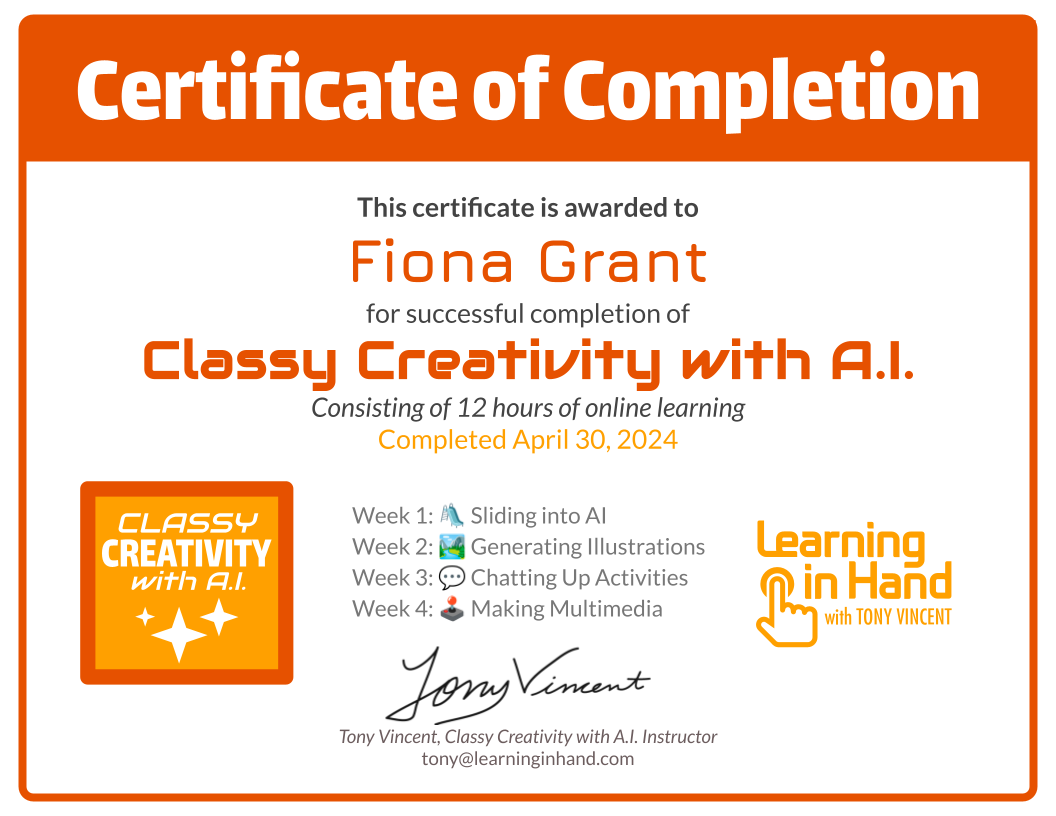
| Certificate emailed on completion of the course. |
Power Searching with Google is a free online course that includes search techniques and teaches some of the advanced tools in Google search. Short video clips with demonstrations from Google Search guru, Dan Russell, are supported with activities that can be worked through at your own pace. These can be revisited along with short tests to review new learning.
Links to online resources, search forum, blogs and lesson plans are also included.
I am going to include this as part of our orientation for new netbook teachers and suspect that many teachers would find this course useful for identifying search techniques that can be adapted to support existing programmes of learning. Depending on literacy levels students could also enroll in the course with their GAFE account and complete independently.
How to be notified about upcoming Power Searching classes via Dan Russell
Sunday, October 14, 2012
Is Technology Just a Tool?
This week has been one of those 'perfect storms' for learning. Four days of conference breakouts, five keynotes, the combination of online and face-to-face networks, considering different perspectives that challenged my thinking and making valued new connections to continue the conversations. Also preparing my contributions to conference breakouts can provide some of the most powerful reflection for my own learning even before the conference begins.
This post continues a conversation (with @rachelboyd @annekenn @MtManaia) in response to a tweet I posted after hearing the statement "technology is just a tool", referenced in more than one keynote this week.
I appreciate that this idea may have different meanings in different contexts however, I try to stay tuned to its use in rhetoric. It's very easy to say! What do we mean when we refer to technology as "just a tool" and how might this be interpreted?
If I default to technology as 'just a tool' I don't believe I am recognising the complexities that surround its use to support learning. That is:
"... although multimedia can act as an assistive technology, it cannot take the place of vision, talent, or skill, whether developed or inherited. We will always need to tell a story with our art and to tell it with honesty, depth, and detail if it is to survive as more than a transient, disconnected thought. For this reason, teachers will become more important as technology increases in power. More than ever, students will need teachers for their wisdom and knowledge to help navigate a purposeful path through the glitz and distraction". (Jason Ohler)
I originally used the video and quotes as a prompt in a breakout I facilitated at Learning@School in 2006. I had been wondering what might result if we explored this statement as a question and considered the actions of the teacher or the student, and how these actions might impact on the concept of technology as "just another tool".
In the hands of Jake Shimabukuro the ukelele is an amazing instrument. What does this say about his approach to learning?
What does your use of technology say about your learning?
This post continues a conversation (with @rachelboyd @annekenn @MtManaia) in response to a tweet I posted after hearing the statement "technology is just a tool", referenced in more than one keynote this week. I appreciate that this idea may have different meanings in different contexts however, I try to stay tuned to its use in rhetoric. It's very easy to say! What do we mean when we refer to technology as "just a tool" and how might this be interpreted?
If I default to technology as 'just a tool' I don't believe I am recognising the complexities that surround its use to support learning. That is:
- The professional learning and inquiry educators invest in to improve their ability to integrate new technologies as effective pedagogy.
- The increased opportunities for students to learn, create and share new knowledge and thinking when they not only have access to 'the tools' but also the support of teachers who are skilled and confident professionals.
"... although multimedia can act as an assistive technology, it cannot take the place of vision, talent, or skill, whether developed or inherited. We will always need to tell a story with our art and to tell it with honesty, depth, and detail if it is to survive as more than a transient, disconnected thought. For this reason, teachers will become more important as technology increases in power. More than ever, students will need teachers for their wisdom and knowledge to help navigate a purposeful path through the glitz and distraction". (Jason Ohler)
I originally used the video and quotes as a prompt in a breakout I facilitated at Learning@School in 2006. I had been wondering what might result if we explored this statement as a question and considered the actions of the teacher or the student, and how these actions might impact on the concept of technology as "just another tool".
In the hands of Jake Shimabukuro the ukelele is an amazing instrument. What does this say about his approach to learning?
What does your use of technology say about your learning?
Just another tool? from Fiona
"The ukulele itself, and those like Jake who play it so insanely well, represent both the struggle and the inspiration and delight that comes from blowing away other people's low expectations of you through your own hard work, unbridled passion, and dedication to excellence." (Presentation Zen, 2010: Jake Shimabukuro wows TEDxTokyo)
Saturday, October 13, 2012
Apple Tools sMACdown #uLearn12
![]() |
| Crowd Sourcing |
Established at uLearn10 this breakout is hosted by a team of enthusiastic Mac users... but it is also sMACdown and everyone is invited to participate.
uLearn12 was no exception with a host of top tips, resources and Mac geekiness from a great group of participants.
I also enjoy browsing the participant contributions on the Google form and the archives from previous years in the sidebar...like finding $$$ in last season's jacket pocket.
![]() |
| @brettcribb Ka nui te mihi! |
Thursday, October 11, 2012
GoogleFest #uLearn12
This post supports my contribution to GoogleFest at uLearn12.
CyberSmart Curriculum
Exploring how to deliberately teach Digital Citizenship within a context that is relative to students specifically in a 1:1 netbook class. For example all students from year 5-8 with a netbook have a blog. Students learn SmartFoot Print and SmartValues in a context of learning how to write a quality blog comment. These are two of ten categories we have identified as important to a cybersmart curriculum.
This Google Doc includes a process we have used to introduce blog commenting to students. Students save a copy of the document in their Google docs. Teachers provide multiple opportunities for students to practise and reflect on their blog commenting. Initially students leave comments on blogs in their school as teachers can monitor these comments through the Teacher Dashboard.
This Google Doc was used to explore the difference between personal information that is safe to share online and what is private. Students write a personal profile for their blog which is initially posted as a blog post with a link from their blog side bar "About Me" widget.
Using Google Apps for Education (GAFE) to support learning with primary sources
Using primary sources as a context with the aim of demonstrating how I select and orgainse digital content to support learning using GAFE. It also includes some new thinking that I am exploring around using primary sources to teach Digital Citizenship.
"Getting My Google On" - In this blog post I share my top take-a-ways from GAFEsummit 2012 and my resources from my breakout "Integrating GAFE to support learning with primary sources."
Google Tool: Chrome Multiple Users
Chrome Apps: Hootsuite
Twitter - some of the best free PD. If you are serious about building your PLN you need to get serious about managing your social networking. With Hootsuite you are able to set up multiple tabs, searches and organise your social media dashboard. Set up on your laptop and when you log in to your iPad/iPhone App, Hootsuite will automatically sync. Enables you to easily follow current events using a #tag or Twitter handle.
![]() |
| Kiwis @ Google Teacher Academy Sydney 2011 |
CyberSmart Curriculum
Exploring how to deliberately teach Digital Citizenship within a context that is relative to students specifically in a 1:1 netbook class. For example all students from year 5-8 with a netbook have a blog. Students learn SmartFoot Print and SmartValues in a context of learning how to write a quality blog comment. These are two of ten categories we have identified as important to a cybersmart curriculum.
This Google Doc includes a process we have used to introduce blog commenting to students. Students save a copy of the document in their Google docs. Teachers provide multiple opportunities for students to practise and reflect on their blog commenting. Initially students leave comments on blogs in their school as teachers can monitor these comments through the Teacher Dashboard.
This Google Doc was used to explore the difference between personal information that is safe to share online and what is private. Students write a personal profile for their blog which is initially posted as a blog post with a link from their blog side bar "About Me" widget.
Using Google Apps for Education (GAFE) to support learning with primary sources
Using primary sources as a context with the aim of demonstrating how I select and orgainse digital content to support learning using GAFE. It also includes some new thinking that I am exploring around using primary sources to teach Digital Citizenship.
"Getting My Google On" - In this blog post I share my top take-a-ways from GAFEsummit 2012 and my resources from my breakout "Integrating GAFE to support learning with primary sources."
Google Tool: Chrome Multiple Users
Chrome Apps: Hootsuite
Twitter - some of the best free PD. If you are serious about building your PLN you need to get serious about managing your social networking. With Hootsuite you are able to set up multiple tabs, searches and organise your social media dashboard. Set up on your laptop and when you log in to your iPad/iPhone App, Hootsuite will automatically sync. Enables you to easily follow current events using a #tag or Twitter handle.
| ||
Wednesday, October 10, 2012
Getting My Google On
YouTube in the Classroom: Jim Sill (@mistersill)
YouTube often gets a bad rap but in just 60 minutes Jim was able to skillfully demonstrate how this resource can be a powerful learning and teaching tool. I would recommend exploring Jim's site, especially YouTube for Teachers, which includes some valuable recommendations for finding and organing the best of what YouTube has to offer including TED-Ed Lessons Worth Sharing.
GoogleChrome Breaking the Seal: Tony Richards (@itmadesimple)
I have been skirting around Google Chrome for a while but have found the ability to set up multiple users has made a huge difference to my work flow this year across multiple school sites, GAFE admin accounts and school Blogger accounts. I have created a Screenr to demonstrate and would recommend setting this up even if you are switching between 2-3 accounts during your day.
Tony's Google presentation is a treasure trove of useful tips for managing your setting, apps and extensions and is worth investing the time exploring. It has definitely improved my ability to personalise Chrome for my needs.
Integrating GAFE to support learning with primary sources
In this session we explored integrating GAFE to support learning with primary sources. I used primary sources as a context with the aim of demonstrating how I select and orgainse digital content to support learning using GAFE. This is shared as a Google Presentation which I have also embedded in a GoogleSite as there are links to examples of how content might be organised within an online learning environment. It also includes some new thinking that I am exploring around using primary sources to teach Digital Citizenship.
More presenter resources can be accessed on the GAFEsummit site and also #GAFEsummit on Twitter.
Labels:
GAFE,
GAFEsummit,
Google,
uLearn12
Subscribe to:
Posts (Atom)