Showing posts with label Tuhi Mai Tuhi Atu. Show all posts

Wednesday, 8 June 2022

The Manaiakalani Kawa of Care


Being Cybersmart
The Manaiakalani  Kawa of Care has been co-constructed between schools and whānau. This agreement covers the responsibilities of students, parents and schools. It ensures that students will get the best use of their device during their time on the programme, and that schools and families understand how they can best care for the devices.  

Being Cybersmart provides an authentic context for our young people to connect with  the elements of the Kawa of Care as a lived experience.  

Cybersmart learning is designed to engage our young people in online behaviour and thinking that elevates positive actions and the use of positive language, digital media and texts. 

How are you empowering your learners to connect with elements of the Kawa of Care and responsible use agreement? 

We recommend teachers take time to familiarise themselves with the Kawa of Care and identify how best they can empower their learners to make connections with  being Cybersmart.  
  • Take time to familiarise yourself with the elements of the Kawa of Care of your school or cluster.

  • Be cognisant of the vocabulary you are using to describe being a cybersmart learner e.g.

  • Be consistent when using cybersmart vocabulary and empower your learners to do the same.
  • Focus on elevating the positive i.e. korero that describes/highlights what we would see and hear from cybersmart learners.

Thursday, 14 May 2020

Create to Learn

Manaiakalani Class OnAir connects audiences with the Manaiakalani pedagogy, Learn-Create-Share by offering an authentic window into the classroom. From learning design and lessons on demand, plus teacher reflections and learners' blogs, the Manaiakalani Class OnAir site provides a unique perspective beyond that of a classroom visit.

Listening to Manaiakalani Class OnAir teachers, Charlotte Gaston and Clarelle Carruthers yesterday, I was reminded of John Dewey's quote from our Create to Learn Staff meeting last year.

Additionally the opportunities to collaborate and share, and how this is planned for and practiced, have been generously shared during this Tuhi Mai Tuhi Atu Meet and via the Class OnAir Site.

Each episode includes an extended plan, lesson video, learning content, teacher reflection and learner generated content.

Thanks to Charlotte, Clarelle and all the teachers who have contributed to the site. Highly recommend taking some time out to explore using the new navigation links that have been added to the home page.... Thanks to Anne Sinclair and Matt Goodwin for curating.

All On Air Teachers' pages include links to their learners' blogs and I encourage everyone who visits to take some time to comment.

Yesterday's recording is available on demand including links to the Manaiakalani Class OnAir site.

Look out for further Meets later this term including Secondary and Te Reo Māori.

Tuhi Mai Tuhi Atu Teacher Meet May 13th 2020

Saturday, 9 May 2020

Side by Side Images in Blogger


Small images can be placed side by side in a blog post (see above). However when the image size is increased it can help to use an invisible table to position your images side by side (see below).


The following html adds an invisible table in your blog post to position two images side by side.

<br>
<table><tbody>
<tr><td>photoa
</td><td>photo b
</td></tr></tbody></table>
<br>


Check out this episode Getting Geeky with Blogger for more tips

Wednesday, 6 May 2020

Interactive Poster for a Blog Post


Using a Google Slide to create an interactive poster for our Tuhi Mai Tuhi Atu Teacher Meet today. Content can be included in the poster that remains interactive when you embed in your blog e.g. hyperlinks, sound files and video.
Instructions to create and share

View all episodes OnDemand including Getting Geeky with Blogger

Tip: Blog posts with a Google Slide only embedded, do not display preview images in a feed e.g. Blog gadgets, featured post, Twitter Feed. Including an image in the post will make it stand out in a feed. Insert an image from your slide at the end of the post so it is picked up in a feed. See example below.


Blog Gadget includes image preview


Difference between posts with images and without

Friday, 1 May 2020

Shout Out - Connected Learners Share

Manaiakalani Mail Out Term 2 Week 3
This week I invited educators from across our communities of learning to shout out and shine a light on a Blogger.

Based on the numbers from our Twitter feeds we barely broke the surface.

Catch Up On Demand and explore the links to some awesome blog posts, from our young people sharing their learning to some inspiring teachers reflecting on their experiences teaching online.

Show these bloggers some  ❤️ and leave a comment.
Tuhi Mai Tuhi Atu 

Saturday, 25 April 2020

Harnessing the power of blogging to learn, create and share

Tuhi Mai Tuhi Atu
Over the past three summers The Summer Learning Journey has provided clear evidence of the significant, positive effect that sustained blogging over summer can have on the writing and reading ability of our young people.

During this week's Tuhi Mai Tuhi Atu Meet teachers shared individual blogging programmes they have designed to support their learners to continue harnessing the power of blogging to learn create share in the school holidays throughout the year.

How have they engaged their learners, kept it manageable and continued to encourage their students to keep blogging?

Thanks to Jo Earl, Danni Stone, Kiriwai Tapuke, Robyn Anderson, Clarelle Carruthers and Matt Goodwin

Watch on-demand plus connect with these awesome educators and access links to their blogging resources.

Tuhi Mai Tuhi Atu Teacher Meet April 22nd

Thursday, 16 April 2020

....and that was a SLAM!

Tuhi Mai Tuhi Atu 
Tuhi Mai Tuhi Atu Teacher Meets have been a regular weekly connect for teachers while we have been in lockdown. With a short turnaround due to the Easter break, this week's Meet was an open invitation to contribute to a SLAM. 

First up a SLAM is designed to be a fun and collaborative opportunity to share. Participants had a maximum of 1 minute to share an inspirational idea, strategy or a tool they've tried! 

The SLAM Slide Deck plus a recording of the Meet and Chat are shared on the Tuhi Mai Tuhi Atu web page. 

Shout out to all the teachers who contributed. Check out their contributions and connect with them via their blogs,  linked on the SLAM Slide deck.

Monday, 16 March 2020

Tuhi Mai Tuhi Atu 2020 - Nau mai, haere mai, piki mai

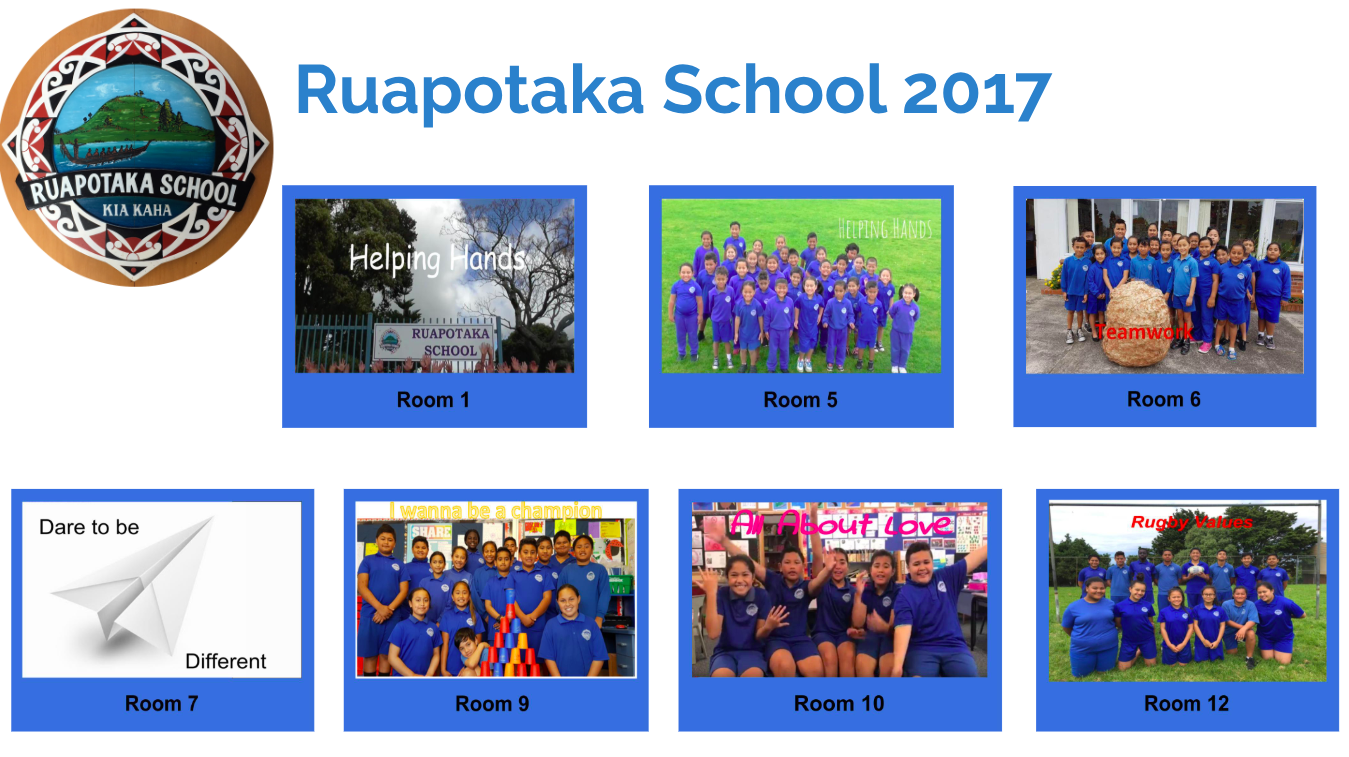
Room 5 @ Ruapotaka School
Spotted @ School this week 

Room 5 @ Ruapotaka School share some of their favourite posts from one of their
Tuhi Mai Tuhi Atu team's blog Ruaumoko @ Makara School


Spotlight on Google Hangouts Meet, one of the Apps available in GSuite. I encourage you all to explore how you might harness Google Meet to turbo charge learning in your practice. This week's update includes recommendations for getting started.


Tuhi Mai Tuhi Atu Weekly Tips

Monday, 21 October 2019

Creating Collages with Textured Images

This week's awesome tip comes to us via Uru Mānuka and St Bernadette's School, thanks to Kelsey Morgan and Grace @ St Bernadette's School.
Grace has created a collage using images of textures and included Kelsey's helpful instructional slide deck. 
Plus Cybersmart tips for Smart Learners and Smart Media.


Access Slide Links

Monday, 14 October 2019

Ko te tū atamai i te ipurangi ki te ao ako, hanga, tohatoha

The Manaiakalani Education Programme's theme for Term 4 2019 is "Being Cybersmart in a Learn Create Share World". 

Ko te tū atamai i te ipurangi ki te ao ako, hanga, tohatoha, empowers our learners to make smart decisions and understand that every time they connect, collaborate and share online it combines to create their digital footprint.
This is timely as our government launches a nationwide focus with a Cyber Smart Week to coincide with Digital Citizenship Week from the 14-18 October.

Please continue to harness your blogs and participation in Tuhi Mai Tuhi Atu to engage learners in Being Cybersmart. While we have focused on our three key cybersmart categories throughout the year - Smart Learners, Smart Footprint and Smart Relationships - continuing to  identify opportunities for learners to practise being cybersmart as they Learn Create and Share is critical.
As you plan, try to identify opportunities to include Being Cybersmart starting with any of our Weekly Tips over the past three terms. Also if your learners have individual blogs take some time to ensure they are confident with navigating, posting and commenting. Plus identify opportunities within your exisiting learning programmes to connect with the elements of a quality blog post and additional Cybersmart categories.

Tuhi Mai Tuhi Atu Weekly Tips

Access Slide Links

Monday, 23 September 2019

Learning Anytime and Any Place

Empower your learners to continue learning, creating and sharing with their blog throughout the school break. If you're taking some time away from your device schedule posts for the class blog too.  


Access Live Links


Wednesday, 18 September 2019

Why copy and paste from a Google Doc to Blogger?

There are advantages to using a Google Doc to prepare text for a blog post.

Crafting or composing a text in a Google Doc creates a saved copy for both the learner and teacher.

This copy is a record of what has been written and provides access to the Version History of the document.

Viewing a document's history provides valuable information about how the learner has edited their writing and supports reflecting on and editing text.

Scaffolds can be included in the document for learners e.g. voice typing, writing prompts

Commenting in Google Docs can also be harnessed for feedback and feedforward to support the learner as they write.

If there are any internet issues when publishing in blogger a copy is saved in Google Drive.

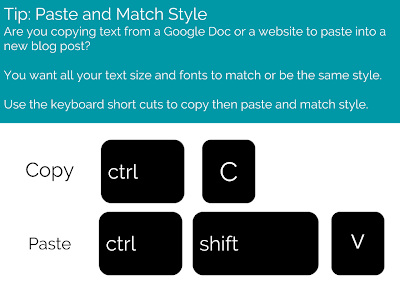
Don't forget to Paste and Match Style. Once the text has been pasted into the Blogger post editor, use the Blogger editing tools to format text.

Tuhi Mai Tuhi Atu Weekly Tips 


Monday, 9 September 2019

Viewing Student Blog Activity in Hāpara Dashboard

Screen_Shot_2019-09-05_at_12.46.00_PM.png

Using Hāpara’s Teacher Dashboard to view learners' blog posts and monitor comments from Blogger, enables teachers, as blog administrators, to access and view all blog posts and comments in one place.

This article from Hāpara includes screenshots and brief explanations of what you are able to view, including useful features teachers can harness to support Cybersmart learning e.g.

  • Published posts and drafts with dates. Display Dashboard on the big screen to draw learners attention to when they last published a post. Our goal is to share three posts a week.
  • Draft posts display with a green pencil next to the last update. Remind learners that posts should be published regularly and set expectations for draft posts to be published.
  • Posts without titles.  Support learners to edit posts and include a title. 
  • Blog titles create a unique URL for the specific blog post. Include keywords that explain what the post is about
  • Keep titles short and concise, this will be more readable for users and won’t get cut off in feeds.
  • Anonymous comments highlighted in red as an alert. Sometimes parents will post as anonymous if they don’t have a Google account. 
We highlighted Monitoring Blog Comments in a previous tip. As admin of learners’ blogs teachers should be receiving email notifications when comments are posted on your learners’ blogs. If not please subscribe to blog notifications for all learners’ blogs. 

Tuhi Mai Tuhi Atu Weekly Tips 
Screen_Shot_2019-09-05_at_12.49.44_PM.png
Viewing Student Blog Activity in Hapara Dashboard

Monday, 2 September 2019

Google Drive and Blogger

Even if you have been blogging for a while please take a few minutes to browse through the Tuhi Mai Tuhi Atu blogger tips to date.
Are you confident that both you and your learners, who have individual blogs, are familiar with these processes and recommendations?

A common problem we see on some learners' blogs is  text in a published blog post overlapping into the sidebar of the blog. 
This happens when content is copied and pasted from a Google Doc to the blog.
Support your learners to use Ctrl - Shift - V when pasting or if the post has been published clear formatting to rectify.  Recommend having a student cast to your screen and demonstrate this process for others to follow. 
Some learners may need to scroll back through their blog and check published posts. If they notice a post that needs to have the formatting cleared, I recommend clicking the small pencil at the end of their post to edit.


By crafting in Google Docs first, both the learner and teacher, have a record of what has been written. Not only is the content saved but also access to view the Version History is available in Docs.

The value of this is teachers are able to view the document history plus leave feedback/feedforward to support  learners via comments in Google Docs, as they are crafting their writing.

Also if there any issues with blogger publishing content will not be lost as it is saved in Google Drive.

Monday, 5 August 2019

Inserting hyperlinks in a blog comment can be helpful

When writing a blog comment consider sharing a recommended online resource or example from another blog that may be helpful. This could include a specific post on your blog where you have shared something similar. 

This is a powerful strategy for engaging with your audience and communicating a sense of connection.

Model how to do this with your learners on either a class blog or an individual blog to help them identify when inserting a hyperlink, might be helpful e.g. can I add more information or make a connection by sharing a link to something similar.

Rather than copying and pasting the URL, which is not clickable,  use html to turn text in a blog comment into a hyperlink.

Share the html code below on your learning site so it is easily accessible by your learners


<a href="insert URL here">Insert display text here</a>
  • Copy and paste the html code into the comment field and replace the highlighted text.
  • Copy and paste the URL you want to share and insert the text that will display when your comment is published
  • When the comment is published the display text will be a hyperlink

Monday, 22 July 2019

Manaiakalani Being Cybersmart - Smart Relationships

... and suddenly it was Term 3


We enjoy welcoming new teams from Manaiakalani Outreach who have joined Tuhi Mai Tuhi Atu this term.
Often at this time of the year we have learners in 1:1 classes who have recently had individual blogs rolled out. If this is your learners, please take some time to ensure your blog list gadget is updated with links to your learners’ blogs so visitors to your class blog are able to locate your learners' individual blogs. Adding a Blog List Gadget to your Blog
Also email teacher/s in your Tuhi Mai Tuhi Atu Team to let them know, so learners can start to connect via their individual blogs as well as the class blog.

If you are new to Tuhi Mai Tuhi Atu please check out the recommendations for Preparing Your Blog. Hopefully you have been inspired by some of the sample posts classes have created and shared to introduce themselves to their Tuhi Mai Tuhi Atu Team.

Last term Te Whare Waipaoa @ Riverdale School and Room 5 @ Tamaki Primary School used Google Hangouts to introduce themselves. 
Te Whare Waipoa @ Riverdale School
They have shared their Digital Pōwhiri experience on their blogs and would be very happy to answer questions if you are considering harnessing Google Hangouts to  connect with your Tuhi Mai Tuhi Atu team... leave them a comment!
If you have participated in the Digital Fluency Intensive in your region, this is an awesome opportunity to apply what you learnt about Google Hangouts. If you are new to Google Hangouts, your facilitator also will be able to assist.

The Manaiakalani Education Programme's theme for Term 3, Connected Learners Share, is at the heart of Cybersmart Learning: Smart Relationships

Participating and contributing to Tuhi Mai Tuhi Atu supports our young people to make smart decisions about how they share online and experience positive, healthy, online interactions. 

If you have actively participated and contributed to Tuhi Mai Tui Atu in the past two terms, teaching and learning will already have empowered your learners to connect with an authentic audience and begin to learn how to maintain positive and supportive online relationships. 

If you are new to Tuhi Mai Tui Atu the programme is designed to empower both you and your learners to be Cybersmart through leaving quality blog comments and engaging in online behaviour and thinking that elevates positive actions.

Monday, 20 May 2019

Empower your chrome-bookers, to amplify and turbo charge their learning.


Screencastify for Chromebooks
Lots of options for learners to record sound and action when creating and sharing Digital Learning Objects + a versatile tool for peer and self reflection.

If you are new to using Screencastify see the Cybersmart site for setup plus recommendations and support for the following...

  • Scaffold learners to be confident with workflow and plan for opportunities to Create to Learn
  • Screencastify 2D Digital Learning Objects e.g. Creating Learning Stories
  • Practise and self assess reading and oral language e.g. Build Reading Mileage 
  • Share screencasts on blogs + peer feedback via blog commenting
  • Record demonstrations and explanations, with narration e.g. Create a screencast
  • Collaborate to create e.g. record a conversation, interview

For more blogging tips: Tuhi Mai Tui Atu

Sunday, 12 May 2019

The Love You Give ♥️

Message for our Manaiakalani Schools
This week, 13 May - 17 May, sees a nationwide event that at its heart aims to celebrate who we are and spread aroha, kindness and kaitiakitanga.

Our young people will be seeing and hearing messages in support of these events via the media and online and you also may be considering supporting Pink Shirt Day on Friday 17th in your school.

Please take some time to consider the principles of the Manaiakalani Programme's Being Cybersmart, when engaging our young people with these themes.

Especially if your learners are creating and sharing content online, in response to next week’s events.

Words, images and actions have power. The more we hear them, see them and use them the more we elevate them. This includes on our screens.

If we are “speaking up and standing together”, what will we see and hear people doing? What will we be doing to celebrate being us?  Whakanuia Tōu Āhua Ake! 

Focus on those actions and imagery that empower our young people to elevate the positive:
  • Often learners will respond to the the negative with a negative. In conversations, acknowledge their contribution, then immediately follow up by encouraging them to connect with and describe or model actions they will see and hear if your school is spreading aroha, kindness and kaitiakitanga.
  • If learners are creating and sharing, both offline and online, do their words, images and actions elevate the positive? Empower learners to create DLOs that represent themselves and their actions as positive, thoughtful and helpful. This is particularly powerful when creating a positive digital footprint and developing smart relationships online. (Being Cybersmart)
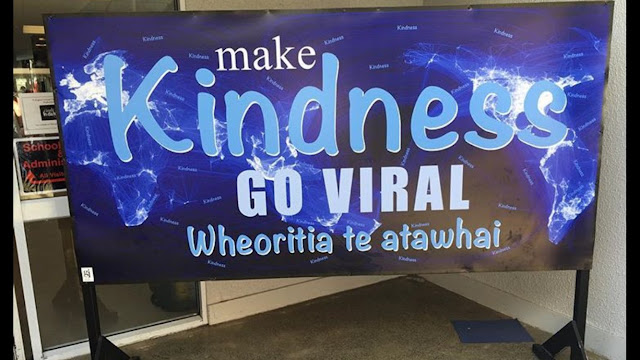
For Example: Do actions, words and imagery empower learners to connect with positive, thoughtful, helpful?

Kindness Go Viral.jpg


Our young people on the big screen... confident, connected, life long learners. 
Note the themes and imagery in these films. 


A final word resonates because of its strong connection with the principles of Being Cybersmart...

"But with that memory comes a responsibility. A responsibility to be the place that we wish to be. A place that is diverse, that is welcoming, that is kind and compassionate. Those values represent the very best of us… 
...We each hold the power, in our words and in our actions, in our daily acts of kindness. Let that be the legacy of the 15th of March. To be the nation we believe ourselves to be"
(Jacinda Ardern, Christchurch memorial)


Thursday, 7 March 2019

Monitoring Blog Comments

All blogs in Manaiakalani are set to anyone can comment.
As the administrator teachers are sent an email notification when a learner posts or a comment is left on their blog. The easiest way to monitor interactions on learners’ blogs is through the Teacher Dashboard. As blog admin our teachers are responsible for moderating comments and spam.

How to delete comments
Log into your blogger dashboard and select the blog you want to monitor comments for.
Click comments then delete comments or mark as spam if the comment looks like spam.
This will delete the comment and also, over time, blogger will recognise spam comments and automatically move them to spam.

For more blogging tips: Tuhi Mai Tui Atu