Showing posts with label cybersmart. Show all posts

Friday, 9 September 2022

Supporting Connections, Learning and Whanaungatanga

Our Manaiakalani Cybersmart Learning includes supporting our young people to critically examine information online and we are enthusiastic to be piloting a media literacy programme Newshounds this term.

The programme includes a series of podcasts created and presented by Amanda Bower and Bryce Corbett. After five sessions we were excited, this week, to join Amanda online in a scheduled Google Meet. Learners shared feedback and also had the opportunity to ask questions, hearing directly from Amanda about her experiences creating the weekday news podcast, Squiz Kids Today. 

In this context it was important for Amanda to see the learners and hear what was being said in the room. All learners joined the Meet on their chromebooks and Amanda could see and hear learners as they spoke.


Being Cybersmart has empowered our young people to connect online, confidently making the transition to online learning over the past two years (see The Josh Smoothie a Technology lesson during lockdown 2020). 

This week's opportunity was also about thinking beyond video conferencing as a tool only for learning in lockdown. Using Google Meet to connect with Amanda, was an opportunity for our learners to experience how we can harness the technology to tap into the knowledge and experience of an expert. This exemplifies The Manaiakalani Programme's Learn | Ako pedagogy. Harnessing  the affordances of technologies to offer new experiences and opportunities not accessible prior to digital technology.

We often see our schools utilising local experts, parents, professionals and community members to help further learning in the classroom. How are we continuing to harness the connectivity digital technologies enable to connect with this expertise and knowledge at a distance? 

Wednesday, 8 June 2022

The Manaiakalani Kawa of Care


Being Cybersmart
The Manaiakalani  Kawa of Care has been co-constructed between schools and whānau. This agreement covers the responsibilities of students, parents and schools. It ensures that students will get the best use of their device during their time on the programme, and that schools and families understand how they can best care for the devices.  

Being Cybersmart provides an authentic context for our young people to connect with  the elements of the Kawa of Care as a lived experience.  

Cybersmart learning is designed to engage our young people in online behaviour and thinking that elevates positive actions and the use of positive language, digital media and texts. 

How are you empowering your learners to connect with elements of the Kawa of Care and responsible use agreement? 

We recommend teachers take time to familiarise themselves with the Kawa of Care and identify how best they can empower their learners to make connections with  being Cybersmart.  
  • Take time to familiarise yourself with the elements of the Kawa of Care of your school or cluster.

  • Be cognisant of the vocabulary you are using to describe being a cybersmart learner e.g.

  • Be consistent when using cybersmart vocabulary and empower your learners to do the same.
  • Focus on elevating the positive i.e. korero that describes/highlights what we would see and hear from cybersmart learners.

Tuesday, 9 February 2021

Manaiakalani Cybersmart Challenges


Cybersmart challenges to help you Learn, Create, and Share on your device in smart and clever ways.

New challenges posted each week

Saturday, 18 April 2020

Google Meet - Enabling Screen Capture Mode

With 6,000,000+ users Google Meet Grid View has certainly become the must have extension for those of us using Google Meet to support distance learning.

Significantly the extension has been developed by a New Orleans teacher for his school and generously shared. To see this extension continued to be refined over the past few weeks is greatly appreciated.

Last week an update to Google Meet Grid View  included Enable Screen Capture Mode.

I recognise this as a smart feature. When active this presents your Meet Grid View at its best for capturing the screen. For example, if you are wanting a screen grab to share publicly.

Significantly this feature disables the names of all Meet participants. Why is this smart?

Consider the huge number of individual Meet Grid View screen grabs shared in both digital and print media in the past few weeks. Many of these screen grabs include groups of students with their full names on display, shared extensively on multiple platforms from Twitter to one of our our national newspapers!

When hosting a Google Meet, especially with large numbers, having names displayed during your Meet is very helpful and a must have feature.

However if you plan to take a screen grab (either still or video) for reuse, especially if your Meet participants are students, select Enable Screen Capture Mode first.  Not only does this disable names it also forces the Grid View to best display for capture.

Whenever and wherever we share online it's personal, visible and amplified. It is personal because we are sharing information about ourselves.  Creating a positive digital footprint means learning to make smart decisions about what personal information we share and what personal information we keep private.  Manaiakalani Smart Footprint

A shout out to Angela Moala who posted this on her blog prior to Enable Screen Capture Mode being added to Meet Grid View. Awesome example of being Cybersmart... thank you Angela! angelamoala.blogspot.com - Distance Learning: Friday Spelling Test

Enable Screen Capture Mode activated - thank you Tamaki Primary whānau for demonstrating.


Monday, 2 December 2019

Support your learners to create original content for their blog posts

Today the Summer Learning Journey Teaser (SLJ) activities go live. This is open to any of our learners with individual blogs regardless of whether they have registered for the Summer Learning Journey. The teaser activities are an opportunity for your learners to familiarise themselves with the SLJ activities.

Plus we have created a page on the Cybersmart site sharing ideas to help learners use what they have learnt to create a Digital Learning Object for their blog post. Please support your learners to create original content for their blog post rather than copying and pasting the SLJ activity content.

Open page link

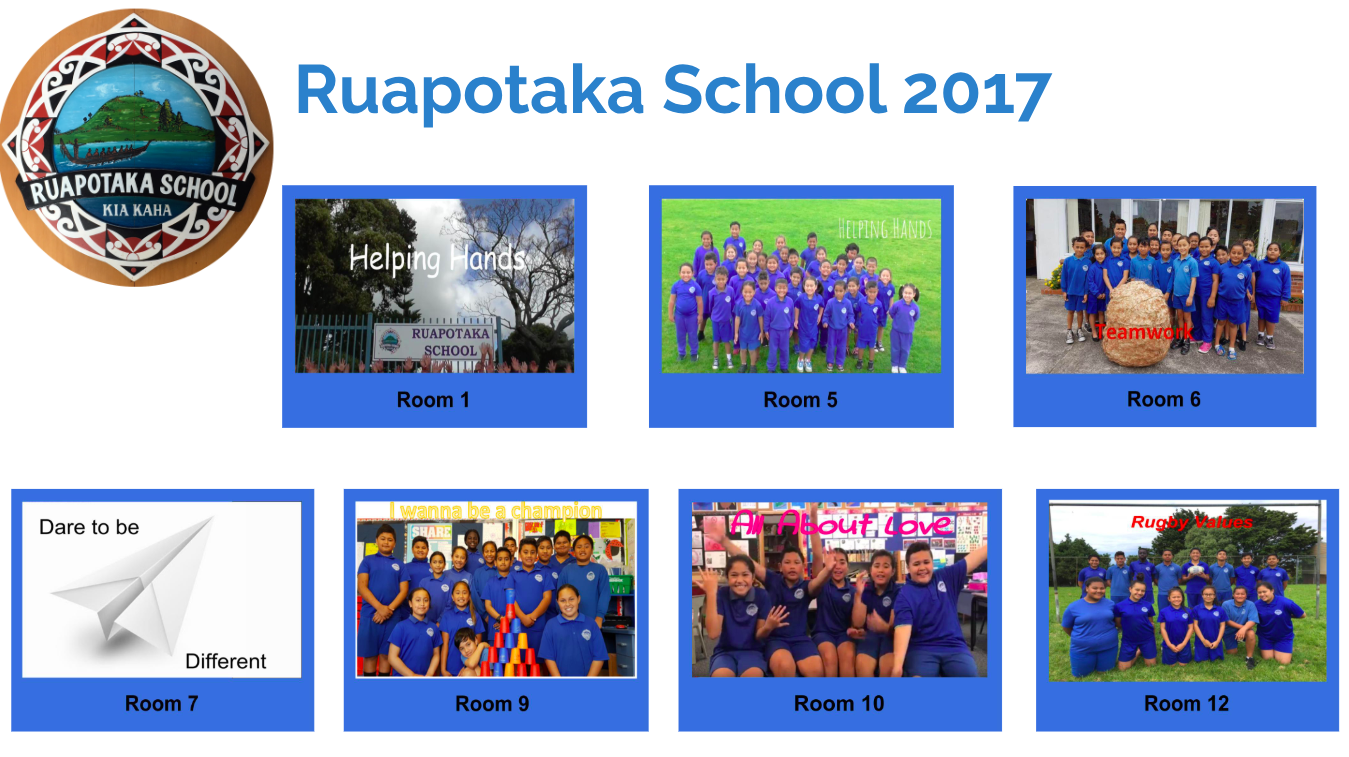
Each DLO includes a link to an example on a learner’s blog. Thank you to teachers and learners from Panmure Bridge School, Ruapotaka School, Glen Innes School and St Bernadette's School in Christchurch whose blogs we have referenced.

The Summer Learning Journey activities will be available to download to enable offline access. Take time during the Teaser Week to ensure your learners can confidently access and manage their learning both offline and online. See Google Drive Offline

The SLJ Teaser week is also another awesome opportunity to connect with your Tuhi Mai Tuhi Atu buddies from 2019 and comment.

2019 Participation Badge for your blogs

Monday, 28 October 2019

Creating and sharing their own media empowers learners to be media literate

This week's blogging tip focuses on Being Cybersmart: Smart Media

Engaging all learners in conversations about media and the construction of media enables valuable opportunities to understand why it is important to recognise who the creator is.
Identify opportunities to start this conversation with your learners early.
In Years 1-3 creating and sharing their own media via the class blog enables learners to connect with and respond to each others' learning as creators of media.

Access Slide Links

Attributing Images is especially important if your learners have their own blog. Take time to empower your learners to select and attribute images if they are not creating their own.
Access Slide Links

Monday, 14 October 2019

Ko te tū atamai i te ipurangi ki te ao ako, hanga, tohatoha

The Manaiakalani Education Programme's theme for Term 4 2019 is "Being Cybersmart in a Learn Create Share World". 

Ko te tū atamai i te ipurangi ki te ao ako, hanga, tohatoha, empowers our learners to make smart decisions and understand that every time they connect, collaborate and share online it combines to create their digital footprint.
This is timely as our government launches a nationwide focus with a Cyber Smart Week to coincide with Digital Citizenship Week from the 14-18 October.

Please continue to harness your blogs and participation in Tuhi Mai Tuhi Atu to engage learners in Being Cybersmart. While we have focused on our three key cybersmart categories throughout the year - Smart Learners, Smart Footprint and Smart Relationships - continuing to  identify opportunities for learners to practise being cybersmart as they Learn Create and Share is critical.
As you plan, try to identify opportunities to include Being Cybersmart starting with any of our Weekly Tips over the past three terms. Also if your learners have individual blogs take some time to ensure they are confident with navigating, posting and commenting. Plus identify opportunities within your exisiting learning programmes to connect with the elements of a quality blog post and additional Cybersmart categories.

Tuhi Mai Tuhi Atu Weekly Tips

Access Slide Links

Wednesday, 24 July 2019

ISTE 2019

Monday, 22 July 2019

Manaiakalani Being Cybersmart - Smart Relationships

... and suddenly it was Term 3


We enjoy welcoming new teams from Manaiakalani Outreach who have joined Tuhi Mai Tuhi Atu this term.
Often at this time of the year we have learners in 1:1 classes who have recently had individual blogs rolled out. If this is your learners, please take some time to ensure your blog list gadget is updated with links to your learners’ blogs so visitors to your class blog are able to locate your learners' individual blogs. Adding a Blog List Gadget to your Blog
Also email teacher/s in your Tuhi Mai Tuhi Atu Team to let them know, so learners can start to connect via their individual blogs as well as the class blog.

If you are new to Tuhi Mai Tuhi Atu please check out the recommendations for Preparing Your Blog. Hopefully you have been inspired by some of the sample posts classes have created and shared to introduce themselves to their Tuhi Mai Tuhi Atu Team.

Last term Te Whare Waipaoa @ Riverdale School and Room 5 @ Tamaki Primary School used Google Hangouts to introduce themselves. 
Te Whare Waipoa @ Riverdale School
They have shared their Digital Pōwhiri experience on their blogs and would be very happy to answer questions if you are considering harnessing Google Hangouts to  connect with your Tuhi Mai Tuhi Atu team... leave them a comment!
If you have participated in the Digital Fluency Intensive in your region, this is an awesome opportunity to apply what you learnt about Google Hangouts. If you are new to Google Hangouts, your facilitator also will be able to assist.

The Manaiakalani Education Programme's theme for Term 3, Connected Learners Share, is at the heart of Cybersmart Learning: Smart Relationships

Participating and contributing to Tuhi Mai Tuhi Atu supports our young people to make smart decisions about how they share online and experience positive, healthy, online interactions. 

If you have actively participated and contributed to Tuhi Mai Tui Atu in the past two terms, teaching and learning will already have empowered your learners to connect with an authentic audience and begin to learn how to maintain positive and supportive online relationships. 

If you are new to Tuhi Mai Tui Atu the programme is designed to empower both you and your learners to be Cybersmart through leaving quality blog comments and engaging in online behaviour and thinking that elevates positive actions.

Thursday, 6 June 2019

A4

Empowering our young people to:

  • confidently navigate and harness their device and learning applications 
  • make the most of this opportunity to learn lots of new things and to share these with others (Manaiakalani Kawa of Care)
...can be significantly impacted by their ability to access learning anytime, anyplace, anywhere and from anyone.

One of the  reasons Manaiakalani has chosen to use GSuite and Chromebooks is that learners are still able to view and edit files offline, including: Google Docs, Google Sheets and Google Slides.

In support of  the Manaiakalani kaupapa,  Connected, Ubiquitous, Empowered and Visible it is critical that all our learners can confidently access and manage their learning both offline and online.


Save and open Google Docs, Sheets & Slides offline

Wednesday, 29 May 2019

Empower Learners to take responsibility for their Digital Footprint

Creating a blog profile is an opportunity for learners to connect with and understand that every time they share online it is contributing to creating their digital footprint. They need to make smart decisions about what personal information they share when creating their blog profile.

Learners with a new Blog
http://tpslydiabl.blogspot.com/http://tpslydiabl.blogspot.com/2019/05/public-or-private-blog-detective.html
Lydia @ Tamaki Primary School
Learners with exisiting blogs
  • Use the featured post gadget in the blog layout to display a link to their blog profile. For example
  • Profile post labels: If learners have profiles from previous year include the same labels. This creates a single link to all profiles to compare and contrast e.g. empower learners to understand they are responsible for their digital footprint.
For more blogging tips: Tuhi Mai Tui Atu

Tuesday, 21 May 2019

Celebrating Being Us

Heart warming to see our young people responding to the theme for #PinkShirtDayNZ on Friday... "Celebrating Being Us". Lots of awesome connections with our Manaiaklani Cybersmart kaupapa.  All about elevating the positive and empowering our learners to connect with what they can do to share aroha, kindness and kaitiakitanga... The Love You Give.


Ruma Kea @ Kokatahi School using cybersmart language positive, thoughtful and helpful to design their own pink shirts. Ngā Whai @ Taipa Area School created kindness chains for their classmates and student leaders at Pt England "Love the Difference", celebrating our uniqueness.

He aha te mea nui o te ao. He tāngata, he tāngata, he tāngata

Monday, 20 May 2019

Empower your chrome-bookers, to amplify and turbo charge their learning.


Screencastify for Chromebooks
Lots of options for learners to record sound and action when creating and sharing Digital Learning Objects + a versatile tool for peer and self reflection.

If you are new to using Screencastify see the Cybersmart site for setup plus recommendations and support for the following...

  • Scaffold learners to be confident with workflow and plan for opportunities to Create to Learn
  • Screencastify 2D Digital Learning Objects e.g. Creating Learning Stories
  • Practise and self assess reading and oral language e.g. Build Reading Mileage 
  • Share screencasts on blogs + peer feedback via blog commenting
  • Record demonstrations and explanations, with narration e.g. Create a screencast
  • Collaborate to create e.g. record a conversation, interview

For more blogging tips: Tuhi Mai Tui Atu

Sunday, 12 May 2019

The Love You Give ♥️

Message for our Manaiakalani Schools
This week, 13 May - 17 May, sees a nationwide event that at its heart aims to celebrate who we are and spread aroha, kindness and kaitiakitanga.

Our young people will be seeing and hearing messages in support of these events via the media and online and you also may be considering supporting Pink Shirt Day on Friday 17th in your school.

Please take some time to consider the principles of the Manaiakalani Programme's Being Cybersmart, when engaging our young people with these themes.

Especially if your learners are creating and sharing content online, in response to next week’s events.

Words, images and actions have power. The more we hear them, see them and use them the more we elevate them. This includes on our screens.

If we are “speaking up and standing together”, what will we see and hear people doing? What will we be doing to celebrate being us?  Whakanuia Tōu Āhua Ake! 

Focus on those actions and imagery that empower our young people to elevate the positive:
  • Often learners will respond to the the negative with a negative. In conversations, acknowledge their contribution, then immediately follow up by encouraging them to connect with and describe or model actions they will see and hear if your school is spreading aroha, kindness and kaitiakitanga.
  • If learners are creating and sharing, both offline and online, do their words, images and actions elevate the positive? Empower learners to create DLOs that represent themselves and their actions as positive, thoughtful and helpful. This is particularly powerful when creating a positive digital footprint and developing smart relationships online. (Being Cybersmart)
For Example: Do actions, words and imagery empower learners to connect with positive, thoughtful, helpful?

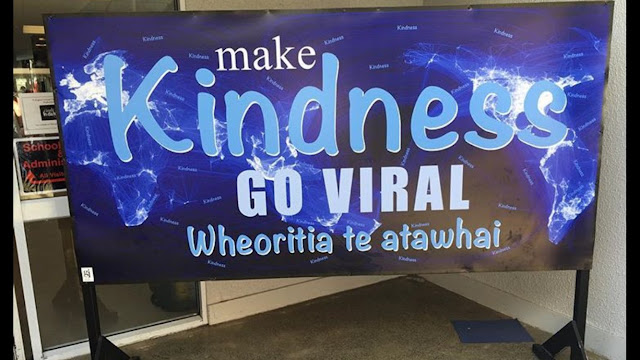
Kindness Go Viral.jpg


Our young people on the big screen... confident, connected, life long learners. 
Note the themes and imagery in these films. 


A final word resonates because of its strong connection with the principles of Being Cybersmart...

"But with that memory comes a responsibility. A responsibility to be the place that we wish to be. A place that is diverse, that is welcoming, that is kind and compassionate. Those values represent the very best of us… 
...We each hold the power, in our words and in our actions, in our daily acts of kindness. Let that be the legacy of the 15th of March. To be the nation we believe ourselves to be"
(Jacinda Ardern, Christchurch memorial)


Monday, 29 April 2019

Manaiakalani Being Cybersmart - Smart Footprint

We are currently updating and transferring Cybersmart Learning content to new Google Sites. The content on the classic site will remain available, however will not be updated. Any new content can be accessed from our new Cybersmart site.


We begin Term 2 with a focus on our Cybersmart Learning: Smart Footprint. Central to this is empowering our learners to understand the difference between private and public information and creating a positive digital footprint.

Whenever and wherever we share online it's personal, visible and amplified. It is personal because we are sharing information about ourselves.  Creating a positive digital footprint means learning to make smart decisions about what personal information we share and what personal information we keep private.

Blogging enables our young people to connect with an authentic audience and provides a rich and engaging platform for learning to create a positive digital footprint.  Making connections and sharing via the class blog, school blogs and blogs across our clusters enables learners to begin engaging with creating a Smart Footprint whether they are blogging individually or currently sharing via their class blog.

Teachers who are receiving in class support from Manaiakalani facilitators  are also participating in Tuhi Mai, Tuhi Atu which is enabling us to harness blogging for Cybersmart Learning.

Recommendations and resources have been shared to support teachers to identify and design cybersmart learning in response to the strengths and interests of their learners.

Thursday, 7 March 2019

Monitoring Blog Comments

All blogs in Manaiakalani are set to anyone can comment.
As the administrator teachers are sent an email notification when a learner posts or a comment is left on their blog. The easiest way to monitor interactions on learners’ blogs is through the Teacher Dashboard. As blog admin our teachers are responsible for moderating comments and spam.

How to delete comments
Log into your blogger dashboard and select the blog you want to monitor comments for.
Click comments then delete comments or mark as spam if the comment looks like spam.
This will delete the comment and also, over time, blogger will recognise spam comments and automatically move them to spam.

For more blogging tips: Tuhi Mai Tui Atu


Friday, 1 March 2019

Tuhi Mai Tuhi Atu


We are very excited to begin this year with over 50 class blogs registered for Tuhi Mai Tuhi Atu our Manaiakalani Outreach Blogging programme. Literally translated, Write to me, write to others, we are using our class blogging platform to build powerful connections across our clusters. 


Similar to Quadblogging Aotearoa, but with our own Manaiakalani kaupapa and pedagogy Learn Create Share, Tui Mai Tuhi Atu empowers our young people to learn to be Cybersmart through leaving quality blog comments and engaging in online behaviour and thinking that elevates positive actions.

Teachers new to Manaiakalani will also be receiving support from their facilitator for Tuhi Mai Tuhi Atu as they build confidence with blogging and Learn Create Share.


Each week we will share blogging tips to support both blog administration and Learn Create Share.
Find our more about Tuhi Mai Tuhi Atu, connect with blogging teams and explore tips on the website.

Manaiakalani Being Cybersmart - Smart Learners

We are currently updating and transferring Cybersmart Learning content to new Google Sites. The content on the classic site will remain available, however will not be updated. Any new content can be accessed from our new Cybersmart site.

"Smart learners are at home in a digital world"
Smart Learners focuses on connecting our young people with elements of our Kawa of Care and responsible use agreement. 

The Manaiakalani  Kawa of Care was co-constructed between schools and whānau. This agreement covers the responsibilities of learners, parents and schools. 

It ensures that learners will get the best use of their device, and that schools and families understand how they can best care for the devices.  

To make the most of their device, Smart Learners follow the Kawa of Care and learn to use their device confidently and in clever ways to Learn Create Share.  

To empower learners it is critical that learning sites are visible and accessible and that learners are able to confidently navigate the site to access learning.

Recommendations and resources have been shared to support teachers to identify and design cybersmart learning in response to the strengths and interests of their learners.

Cybersmart Learning: Smart Learners

Tuesday, 30 May 2017

Being Cybersmart

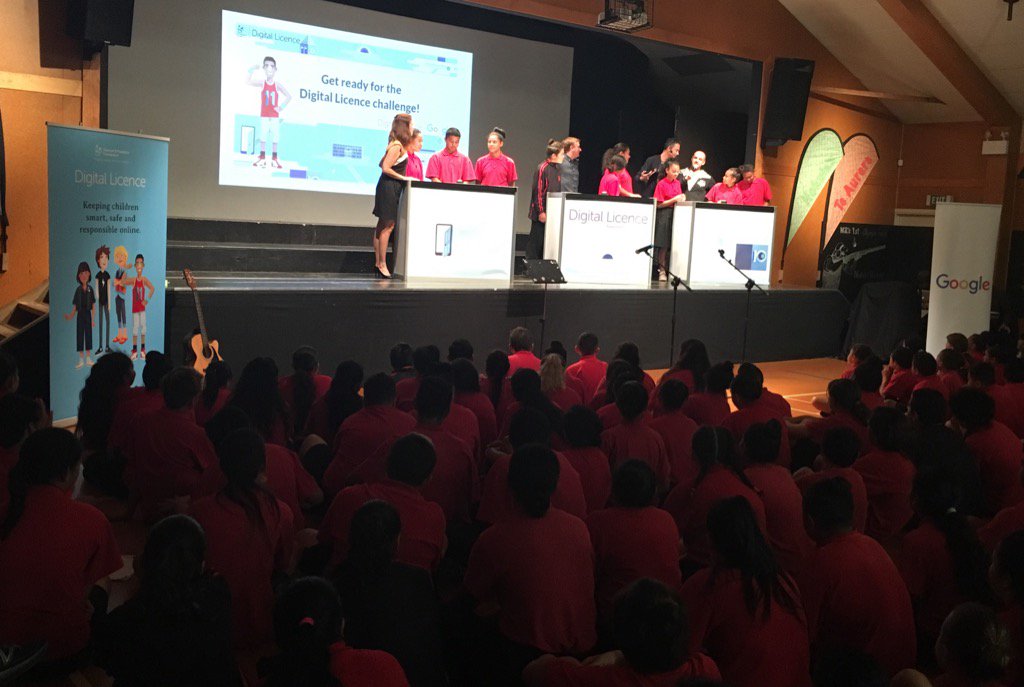
Shout out to learners from Pt England School who participated in the launch of the Digital License today. Included a game show quiz with our very own celebrity host! Lots of fun and awesome to see our young people expertly exhibiting what it means to be Cybersmart!

The Digital License has the potential to enable our young people to challenge their exisiting Manaiakalani Cybersmart Learning.

Being Cybersmart in Manaiakalani is firstly aimed at empowering our learners to make smart decisions online and understand that every time they connect, collaborate and share online it combines to create their digital footprint. Cybersmart Learning is all about engaging our young people in online behaviour and thinking that elevates positive actions. To enable this learners need opportunities to engage in authentic online connections and interactions like sharing and responding to learning on their blogs.

Access to The Digital Licence is free for year 8 & 9 NZ students, and teachers can register online here.
Looking forward to seeing how The Digital Licence might be used to support Being Cybersmart in Manaiakalani!

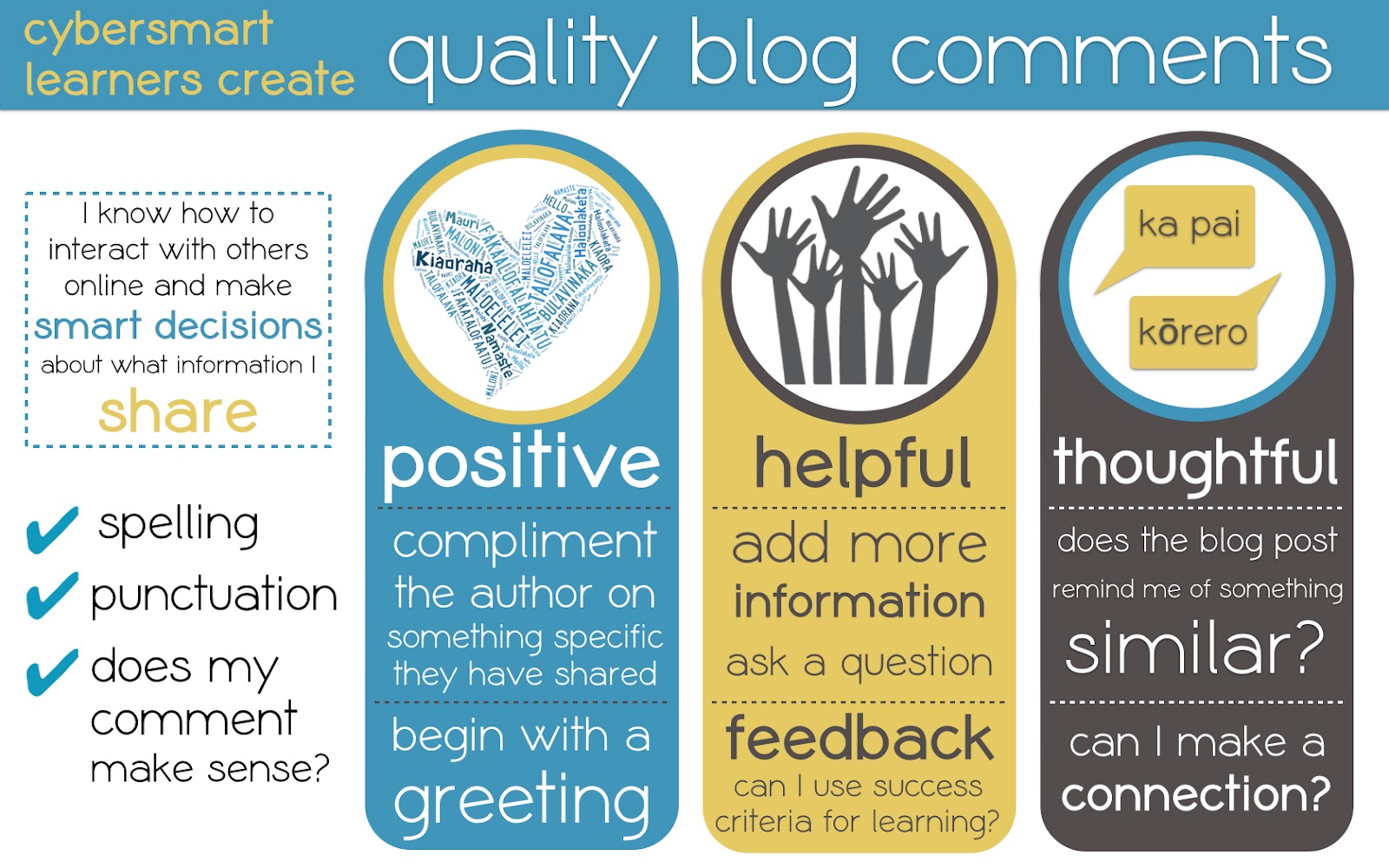
Criteria Blog Comments.jpg

Saturday, 3 October 2015

What's the value of three minutes?


The challenge... encapsulate over three years of thinking and learning in under three minutes. At the same time recognise the contributions of my peers and learners in the Manaiakalani cluster who have contributed so extensively to this programme of learning? It can be achieved... with help from an awesome group of +TeachMeetNZ  educators led by +Sonya Van Schaijik

This was my first +TeachMeetNZ event with an added bonus... collaborating with +Matthew Esterman and #TMSydney as part of Connected Educator Month in New Zealand #CENZ15

If you are considering participating in a Teachmeet, go for it! If not for the opportunity to Hangout with inspiring educators, for the professional learning via connected educators, all engaged in reflecting critically on the things we are doing and the impact on learners.

In reality for me, this three minute +TeachMeetNZ presentation has been the equivalent of three days+ of valuable thinking, dialogue, refining ideas and in some cases revelations that continue to challenge assumptions about my practice.

‘He aha te mea nui o te Ao?’ Māku e kī atu, ‘He tangata, he tangata, he tangata.’
+Monika Kern +Ros MacEachern +Isaac Crandell-Tanner +Hannah Dodds +Rachel Chisnall +Marnel van der Spuy 

The images and content in my presentation are linked to the blogs of teachers and learners in our cluster, if you are keen to connect and leave a comment it will be appreciated.

Related Links:
Being Cybersmart - blog posts
TeachmeetNZ wiki
TeachMeetNZ meets TMSydney - live blog (via +Monika Kern)
Hangout On Air